status-17 - fall update
pico.sh is a set of services for developers that you use over SSH. Your SSH key is your account, and the tools you already have are the client. You publish a blog with rsync, host a static site with scp, share localhost with ssh -R, and stream data between machines with a pipe.
Our last big roundup was in January. Since then we've rewritten how rsync works on the platform, rebuilt the tuns console, added gemtext support to prose, and expanded pgs and pipe. Here's what changed.
rsync, natively #
Every service that takes files accepts uploads from the rsync you already have installed. Until this month, uploads went through a minimal rsync receiver. It handled the common cases, but every new flag meant another special case, and delta transfers and compression were out of reach. Even basics got it wrong: rsync index.html pgs.sh:/project/ failed unless you spelled out the destination file.
We replaced it with a native Go implementation of the rsync protocol, implementing protocol versions 27 through 31. Our server now behaves like any other rsync server:
- Unchanged files are skipped by size and modification time, or by content with
-c - Changed files are sent as a delta against our copy
-zcompression with zlib or zlibx--exclude,--include, merge files and the other filter rules- Every
--deletemode,--dry-run,--relativeand--files-from - Downloads work the same way, with deltas and compression
Here's a 3 MB site uploaded to pgs, then uploaded again after appending one line to its largest file. The second upload sends 759 bytes:

File data streams to and from our object storage through fixed-size buffers. A 1 GB upload peaks at about 5 MB of memory on our side. We also sped up pgs uploads and serving while we were in there. The full list of options is in our file uploads docs.
This rsync rewrite has resulted in a more robust and reliable data transfer system that aligns exactly with how users already use rsync without any sacrifices.
tuns #
tuns gives you HTTP, TCP, TLS and UDP tunnels to localhost over SSH. It runs on sish, the open source tunneling server we maintain.
Every HTTP tunnel comes with a service console, and we rebuilt it from scratch. It shows requests live with formatted JSON and form bodies, inline images, "Copy as curl" and replay. Filters take quoted phrases and -term to exclude. WebSocket connections show every frame in both directions. Streamed responses like server-sent events are captured as they arrive, and gzip, deflate, brotli and zstd bodies are decoded.
You can also ask tuns how to open a tunnel. ssh tuns.sh http 3000 dev prints the ssh command for an HTTP tunnel named dev, and there are commands for https, tcp, sni and udp. ssh tuns.sh script prints a POSIX shell function so you can just type tunnel http 3000.
Here the top pane opens a tunnel to a local app with the tunnel script. The bottom pane sends two requests with curl, then opens a WebSocket with websocat, sends a couple of messages and disconnects. The tunnel's console on the right shows each request as it arrives, then the WebSocket's messages in both directions and the close:

Smaller changes:
host-headernow works with HTTPS upstreams, so you can put a tunnel in front of a remote HTTPS site- Custom domains can use a
_tunsTXT record, and_sishstill works - If your tunnel drops partway through a response, the visitor gets an error instead of a truncated body that looks complete
pgs #
pgs is our static site host. You upload with rsync, scp or sftp and your site is live. This year pgs picked up a batch of new features.
You can now put a site behind a password with ssh pgs.sh acl {project} --type http-pass --acl {password}. Visitors see this page first, and access lasts 24 hours once they enter the password.
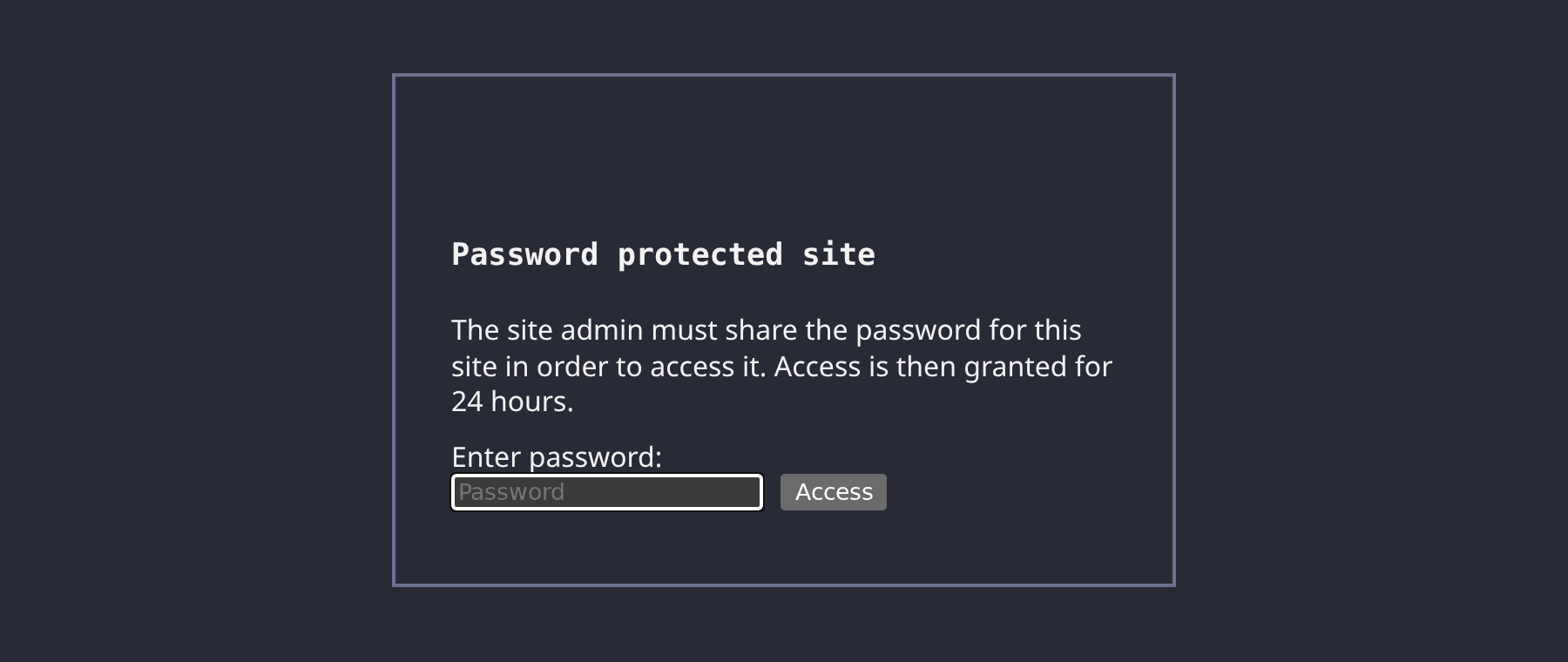
The rest of the new features:
- Auto-forms: point an HTML form at
/pgs/forms/{name}and we collect the submissions, which you read back withssh pgs.sh forms {name} - Projects prefixed with
private-are private and can't be made public - A
binproject whose files delete themselves after two weeks, for quick sharing - Uploads straight from a unix pipe:
echo "<p>hi</p>" | ssh pgs.sh /bin/index.html - The per-file limit for pico+ went from 50MB to 100MB
- We replaced our third-party HTTP cache with our own RFC 9111 implementation
prose #
prose is our blog platform. You write markdown and rsync it up.
Posts can now be written in gemtext, the markup from the Gemini protocol. Upload a .gmi file and it shows up on your blog and in its RSS feed like a markdown post. =: lines hold the metadata that markdown keeps in front matter:
=: title hello world
=: date 2026-10-25
=: tags one two three

Hello world!
=> https://pico.sh pico's docs
> cya!
Gemtext replaces the plain text lists format we brought back in January, which didn't catch on.
We also gave every blog a new minimal default design: centered content, a 70ch max width, and headers anchored to their sections. Here's a blog's front page using it:
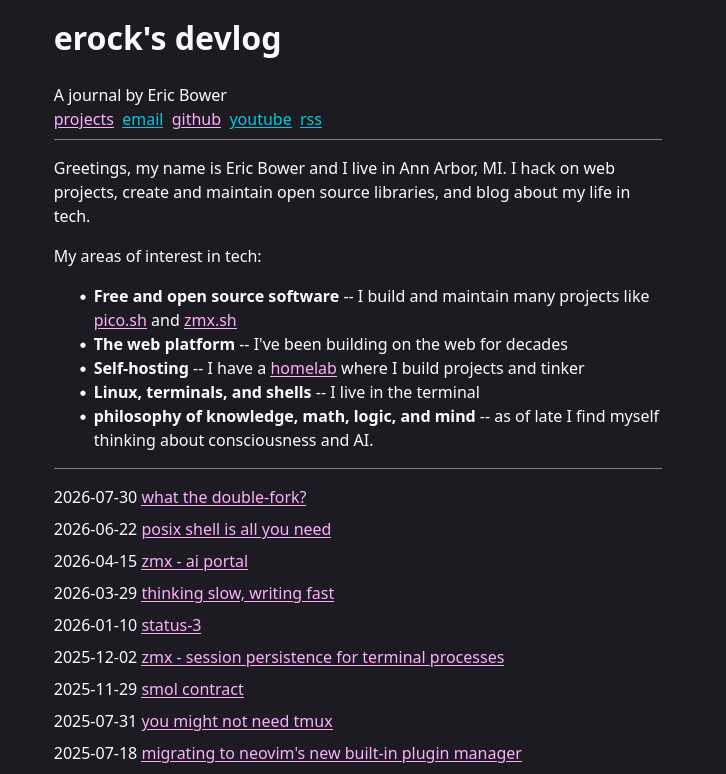
Discovery now has a trending feed, and you can rename a post in place over sftp.
pipe #
pipe is authenticated pubsub over SSH. If you know how to use |, you know how to use pipe.
Monitors watch a topic and alert you through an RSS feed when nothing is published to it within a window. Point a cron job at a topic and you'll hear about it when the job stops running. Here's a monitor being created, pinged the way a cron job would, and checked:

Subscriptions can now use wildcards. Here one subscriber listens on deploys-* while three different topics are published to:

Two smaller additions: pub -d round_robin hands each message to one subscriber in turn so a topic can feed a pool of workers, and ?prefix= on pipe-web splits a stream into messages. The pipe docs cover all of these.
the platform #
Free accounts now need an invite from an existing user or a pico+ member. Bots found our free services this year and flooded prose's discovery page, and invites let us keep a free tier instead of putting everything behind pico+. If you want one and don't know anyone, ask us on IRC or email hello@pico.sh.
Custom domain setup is easier to debug now. ssh pico.sh dns-check shows where a domain points and whether its TXT records match your account for pgs, prose, tuns and picd:

The access logs page lists every sign-in by your keys to pico services over the last 30 days, labeled with the key's name. You can open it from the TUI or run ssh pico.sh access-logs:

Site analytics now break visits down by device. Here are two demo sites in the analytics page, each with its top URLs, missing pages, referers and the new mobile and desktop split:

ssh pico.sh still opens the TUI in a terminal. An unknown command, or a session with no terminal like a script or ssh -T, now prints the list of commands instead of hanging.
picd #
picd is our deploy service, and it's in closed beta. You push a git repository with a compose.yaml over SSH, and picd runs it in an environment of your own with HTTPS on your own subdomains. It runs on our own hardware in a colo, and it's based on our open source pcompose project.
Here a project is pushed for the first time. picd clones it, starts its containers and routes the hostname in its Traefik labels:

You manage projects over the same SSH connection. Here an environment variable changes and the project redeploys without a push, then status shows its variables and containers:

ssh hello@cd.pico.sh opens a shell in the project's directory with its variables set. The shell runs in tmux, so it keeps running after you detach:

Every environment also has a public IPv6 address, and the ports your apps publish are reachable on it. The project publishes port 8080. The top pane runs tcpdump in the environment while a machine elsewhere curls that port over IPv6:

You can sign up for the beta on cd.pico.sh, and the docs cover the rest.
patchbin #
patchbin is a pastebin for patches, supercharged for git collaboration. pr.pico.sh is our public service that anyone can use but the service was designed to be self-hosted. This git collaboration service replaces git send-email with ssh pr.pico.sh pr {repo}:{pr-name} and adds a web UI that gives users just enough context before they have to pull the code down to review in their own text editors. Every other git collaboration tool wants to have your entire git repo, but we decided to challenge ourselves:
What if a git collaboration tool didn't have access to your repo?
patchbin is a self-hostable Go service that uses Sqlite for storing patch requests. Many of the personal and open-source projects we work on don't need enterprise-grade code review features from the popular code forges. In fact, they can sometimes get in the way us getting things done. The entire fork+branch+open pr cadence causes a lot of friction, having to bounce between the ide, terminal, and browser. I know the pico team has felt that friction. Most of the time we prefer sending each other patches to give a quick "what do you think?" gut check. However, traditional pastebins don't have great UI around reviewing code changes. Further, they don't have a great system for collocating code changes over time.
This is where patchbin really shines. A single view provides all the context of a suggested code change: every version of a patch series, every ad-hoc comment, a semantic diff view, and finally a line-by-line diff view of the latest patch series.
Further, the entire system is designed to be anonymous with near-zero tedious state management tasks. There is no concept of a "reviewer" and "contributor", no authorization, and as a result no administrative cleanup tasks. Contributors push a patch request and anyone can review it. There's no "approved" or "rejected" state either. Instead, when a patch request is "accepted" by a maintainer of a project, they simply merge their code locally and git-push. They can then add a comment to the patch request indicating that the code was merged. Done.
Maintaining patchbin is hands-off: when a patch request becomes inactive for 14 days, it goes into the "inactive" section.
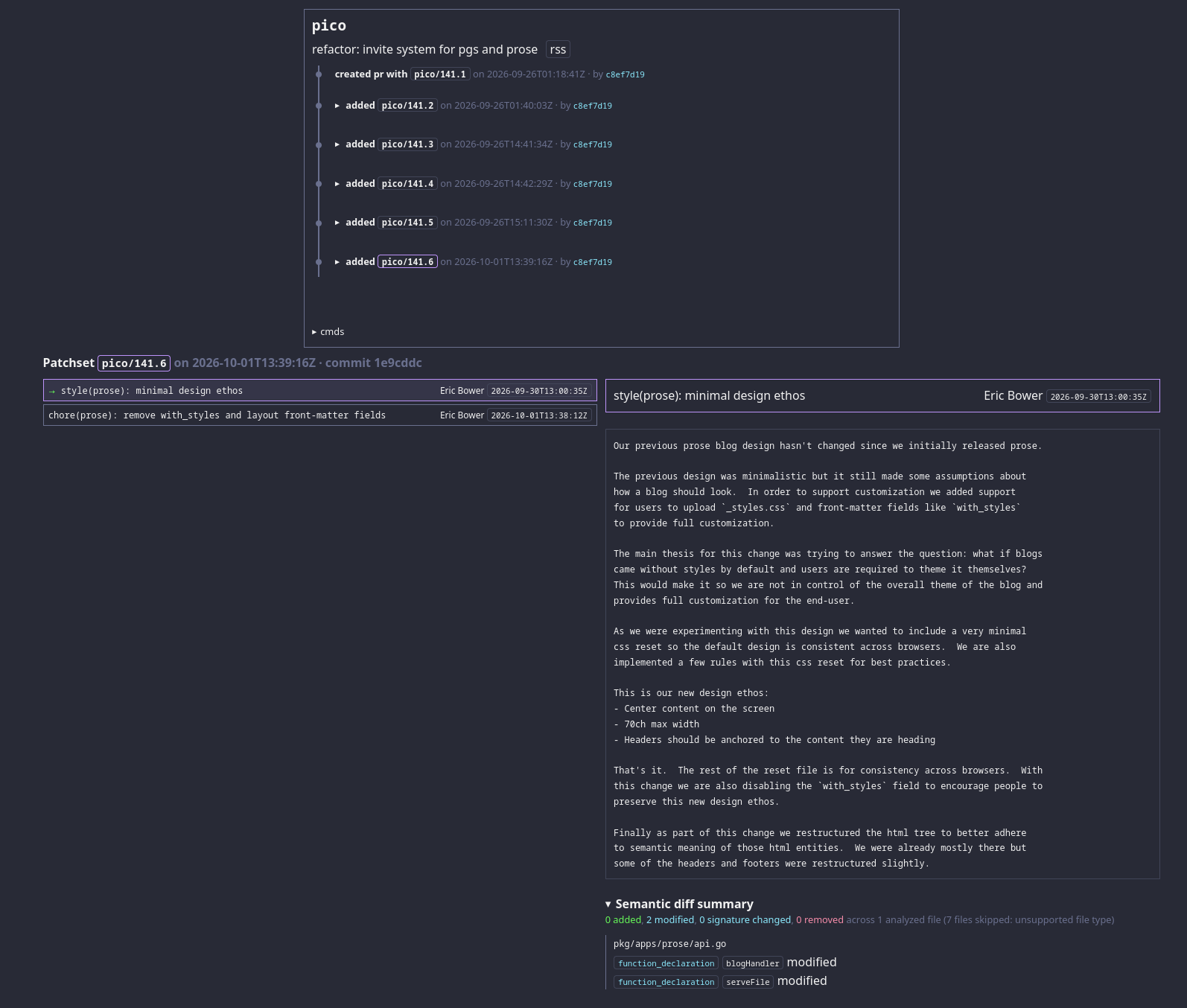
Here's the example PR: https://pr.pico.sh/pico/141
what's next #
We're building a CI service (pici) that runs entirely over SSH, on the same hardware as picd. Its beta site is up.
That's it. Come say hi on IRC.