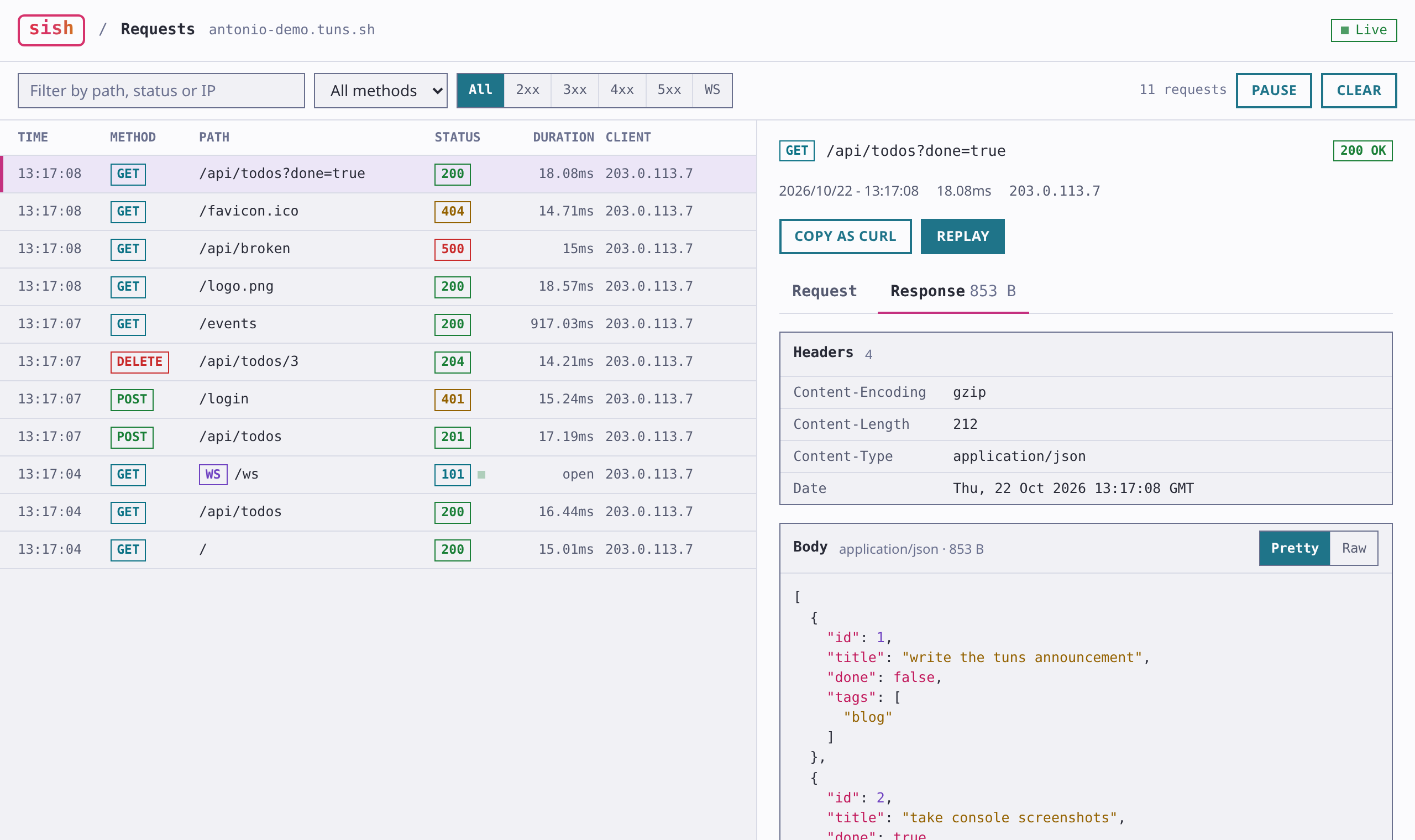
Every HTTP tunnel on tuns comes with a service console, a page that shows the requests going through your tunnel as they happen. We rebuilt it in sish, the project tuns is built on, and the new version is live on tuns.sh.
The link to the console is printed when you open a tunnel:
$ ssh -R demo:80:localhost:8787 tuns.sh
Starting SSH Forwarding service for http:80. Forwarded connections can be accessed via the following methods:
Service console can be accessed here: https://antonio-demo.tuns.sh/_sish/console?x-authorization={token}
HTTP: http://antonio-demo.tuns.sh
HTTPS: https://antonio-demo.tuns.sh
requests
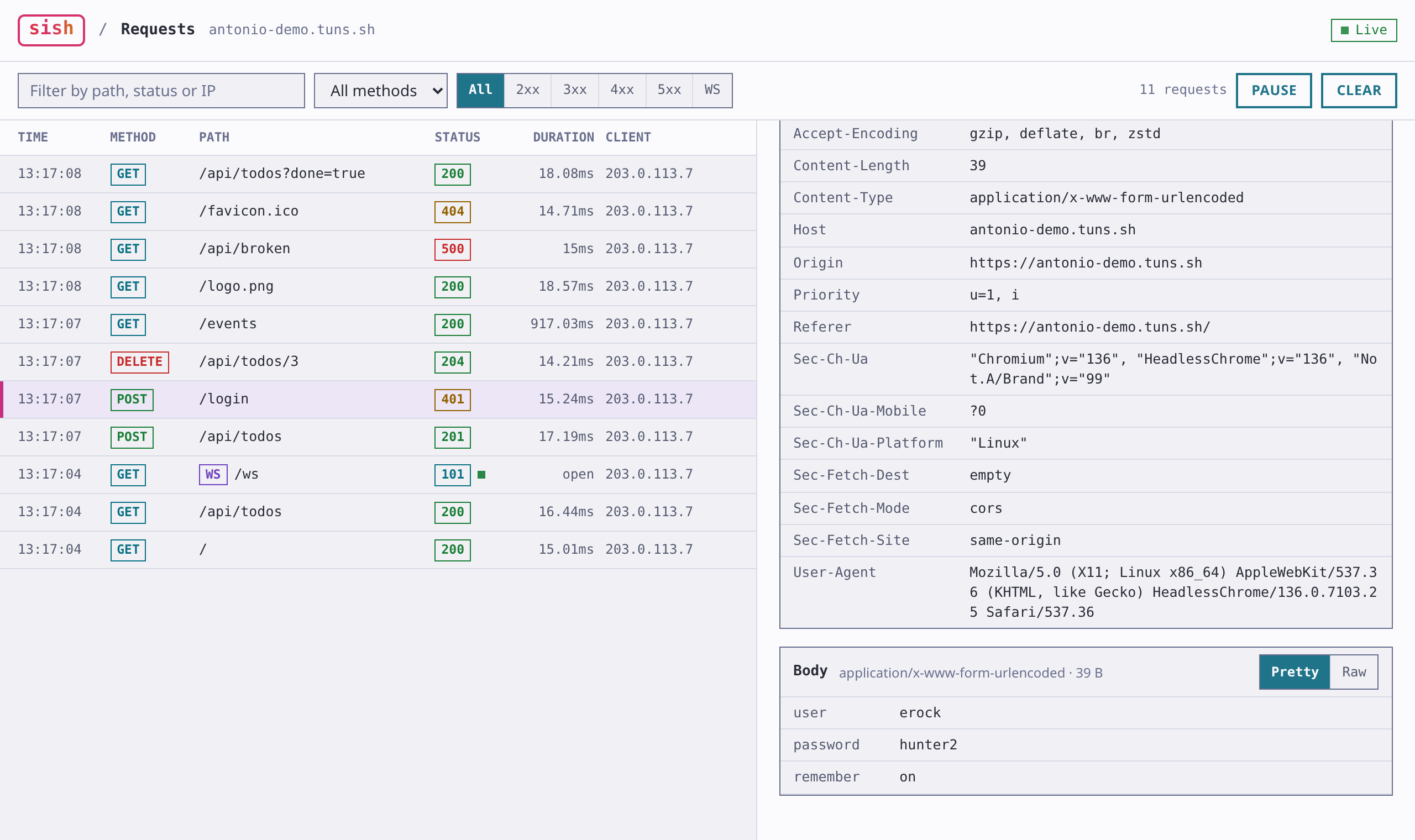
The console lists each request with its method, path, status, duration and client IP. You can filter by text, method or status class, pause the list while you look at something, and clear it. When you open the console it loads the 25 most recent requests, so you can open it after the traffic you care about has already come through.
Select a request to see its headers and bodies. JSON is formatted and highlighted, form posts show up as a table of fields, and images render inline. Anything else can be viewed as text or a hex dump. "Copy as curl" gives you a command to rerun the request from your terminal, and "Replay" sends it again from your browser.
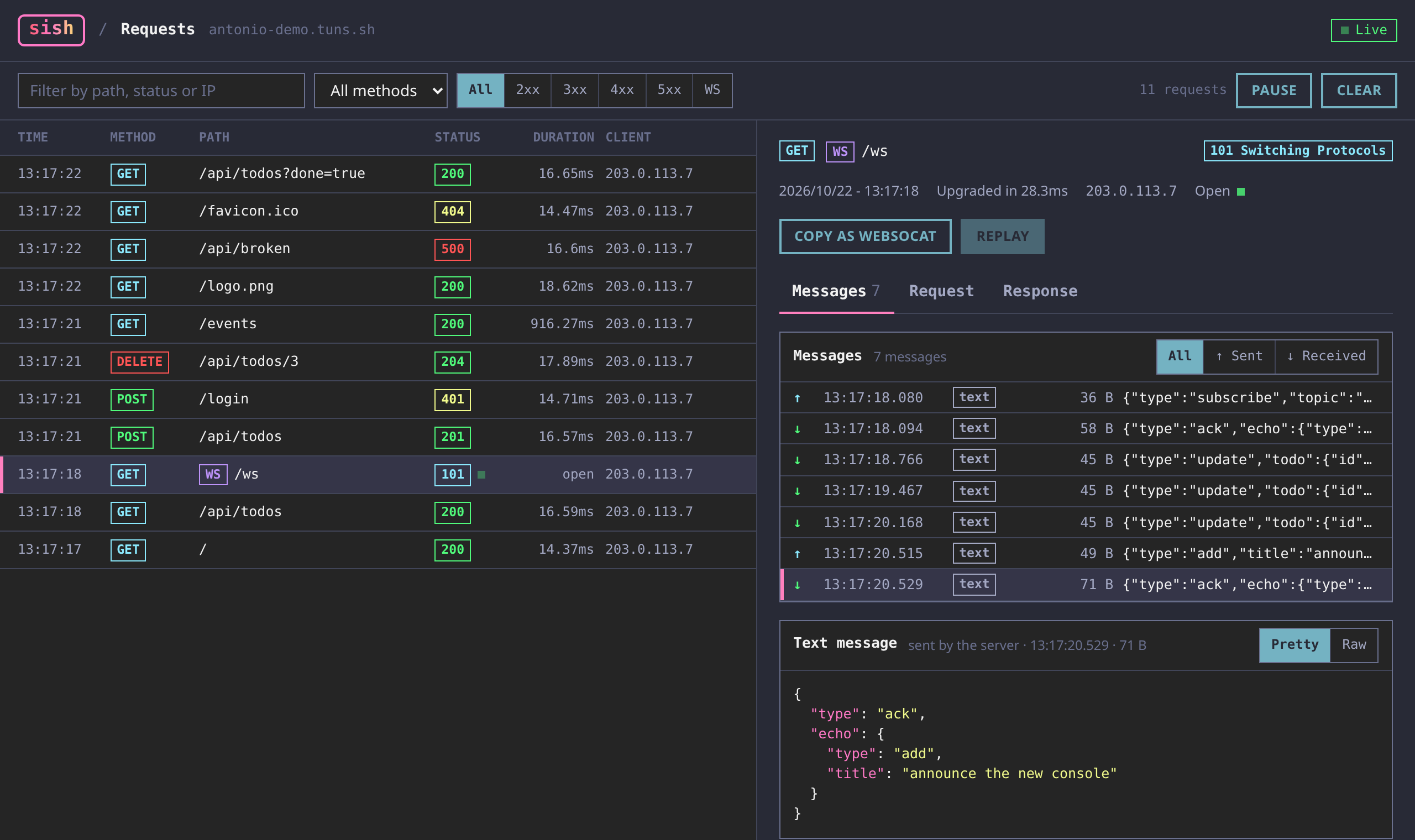
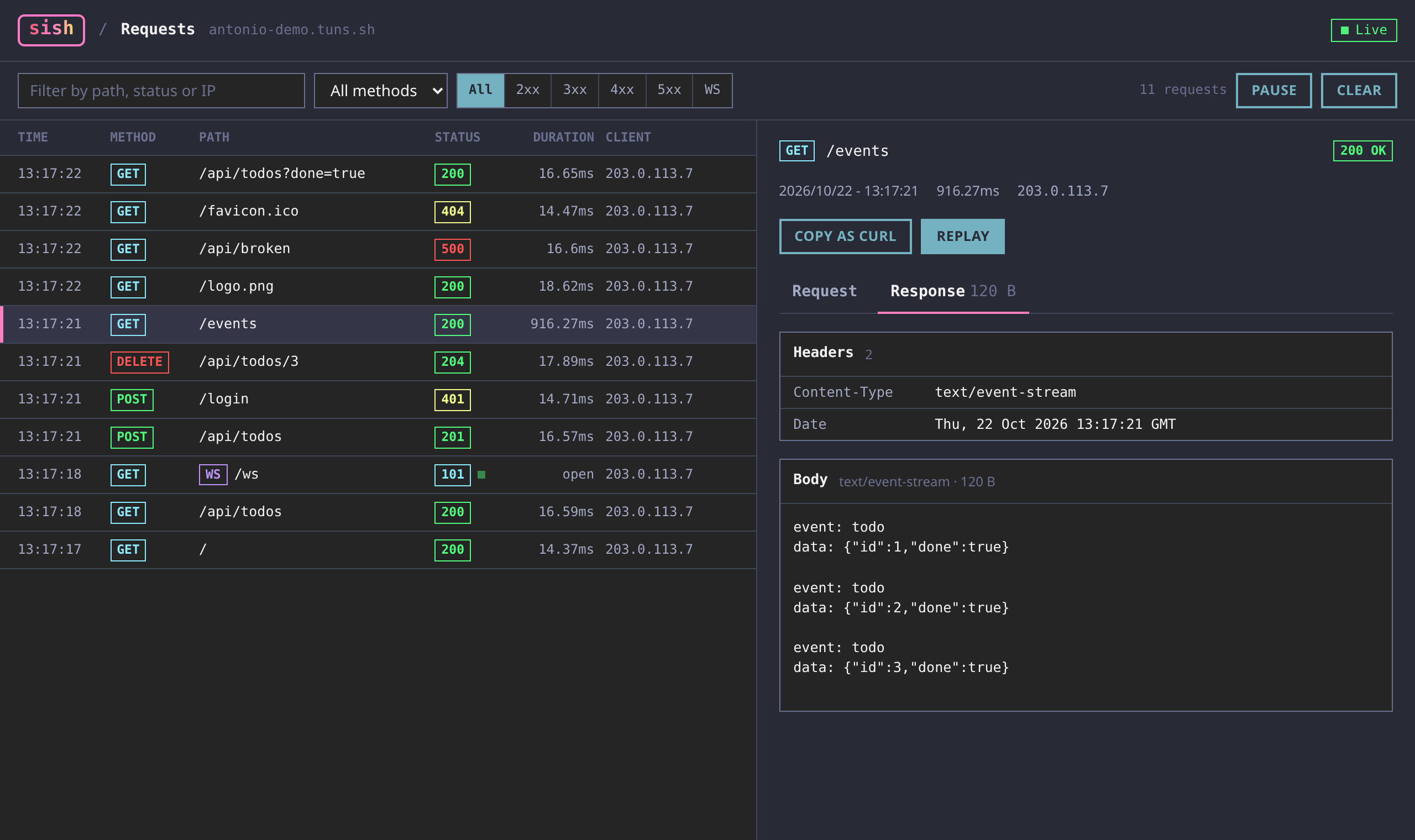
The console follows your system's light or dark theme.
websockets
WebSocket connections show up in the list with a 101 status and stay marked as open until they close. The Messages tab shows every frame in both directions with its time and size, and you can narrow it to sent or received. Select a message to see its payload, formatted if it's JSON. The console keeps the last 200 messages of each connection. "Copy as websocat" gives you a command to open the same connection from your terminal.
streamed and compressed bodies
The console now records bodies that don't send a length up front, like chunked responses and server-sent events. It captures them as they stream, so the client gets each chunk without waiting on the console. Compressed bodies are decoded before they're displayed, and that covers gzip, deflate, brotli and zstd. Before, both showed up in the hex viewer instead of the body.
https upstreams
When you forward to an HTTPS service, tuns now uses the request's host as the TLS server name. Combined with `host-header`, this lets you put a tunnel in front of a remote HTTPS site:
The TXT record for a tuns custom domain can now be named `_tuns`. Existing `_sish` records keep working. The value is your pico username, which lets any of your keys use the domain, or the fingerprint of a single key:
_tuns.customdomain.example.com 300 IN TXT "erock"
You can check your records with `dns-check`. It shows where the domain points and whether the TXT record matches your account: